
By Olivia Harper. Fact-checked against Gartner, Tenable, GitGuardian and CISA research, CNCF and company announcements, and Microsoft documentation.
At 9:02 a.m., a developer commits code with a cloud access key buried inside. Before lunch, a Terraform change exposes a new service to the whole internet. By mid-afternoon, that service is running in production from a container image with a known, actively exploited flaw. That evening, someone outside the company reads customer records through the container’s cloud role.
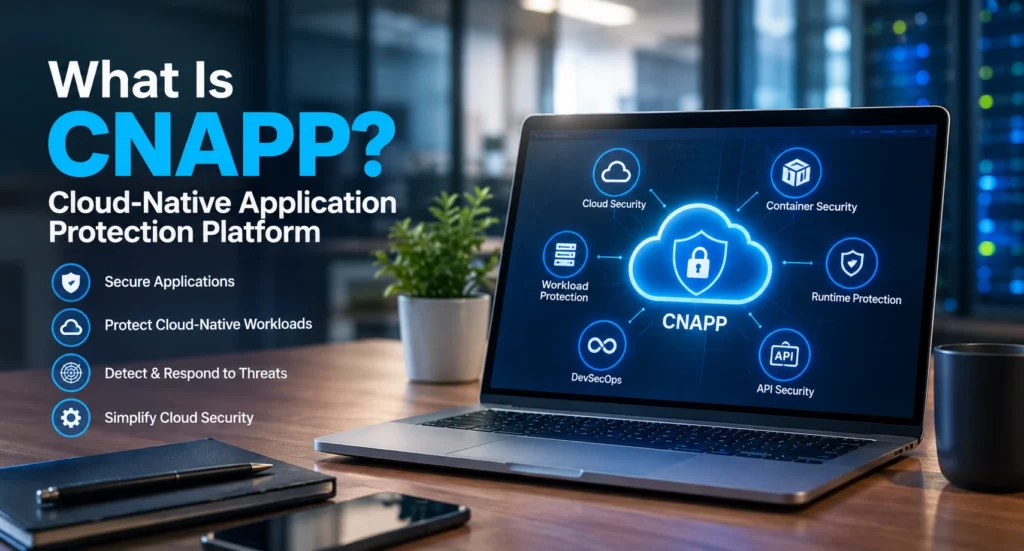
Every step left evidence, but each clue landed in a different tool, and no tool read the others. A cloud-native application protection platform (CNAPP), sometimes sold as a cloud native security platform, pulls those clues into one view for your cloud security team. This guide replays the attack step by step and shows where a CNAPP would have stopped it.
What Is Cloud-Native Application Protection Platform?
A CNAPP is a security platform that watches a cloud application from the moment its code is written to the moment it runs. It combines three core tools (CSPM for cloud settings, CWPP for workloads and CIEM for permissions), adds code scanning and live threat detection, and stores every finding in one shared map. That map is the whole point: it shows when separate weaknesses line up into an attack.
The CNAPP meaning is simple enough: cloud-native application protection platform, usually pronounced “see-nap.” The CNAPP definition has grown since Gartner introduced the term, though, so in cloud security today the label covers far more than its name suggests. If the posture piece is new to you, our guide to cloud security posture management explains it in detail.
How Would a CNAPP Stop a Real-World Attack?
The timeline in the introduction is an example, not one specific breach. Each step comes from techniques that show up again and again in real cloud incidents. Here’s where each part of CNAPP security steps in.
Step 1: A Secret Leaks in a Code Repository
The access key lands in a Git commit and stays there. That’s routine: GitGuardian’s State of Secrets Sprawl 2026 report counted about 29 million secrets exposed on public GitHub in 2025, up 34% in a year. Private code isn’t safer.
The same report found internal repositories roughly six times more likely than public ones to hold hard-coded secrets, and 64% of valid secrets leaked in 2022 still hadn’t been revoked by 2026.
A CNAPP’s secrets scanning reads repositories and commit history, flags the key as soon as the commit is scanned, and can open a ticket to revoke it.
Step 2: A Risky Terraform Change Ships
An engineer edits a Terraform file so the new service accepts traffic from anywhere, likely to unblock a quick test. Without a CNAPP, the first warning comes after deployment, if it comes at all.
With CNAPP integration in the CI/CD pipeline, the scan runs on the pull request itself. The reviewer sees “service open to 0.0.0.0/0” next to the changed line in GitHub or GitLab, and the merge waits until someone fixes it. Here, the fix costs one code comment instead of an incident.
Step 3: A Vulnerable Container Goes Live
Which of the dozens of known flaws in a typical container image actually matter? Usually only the ones attackers already use. CISA’s Known Exploited Vulnerabilities (KEV) catalog tracks exactly those, and CISA adds new entries to it most weeks.
A CNAPP scans images in the container registry, compares them with sources such as KEV, and moves the exploited flaw to the top of the list. Open-source scanners like Aqua Security’s Trivy can find the same flaw.
The difference is context: a standalone CWPP sees the vulnerability, but not that this container also sits behind the internet-facing rule from Step 2.
Step 4: An Over-Privileged Role Opens the Path to Data
This is where three problems become a breach. The container runs with a cloud role that can read the customer-data bucket, far more access than the service needs.
Alone, that’s a medium finding. Combined with internet exposure and an exploited flaw, it becomes what Tenable calls a “toxic cloud trilogy”: a workload that’s exposed, vulnerable and highly privileged at once.
Tenable’s 2025 Cloud Security Risk Report found 29% of organizations still had at least one. A CNAPP’s entitlement analysis (CIEM) catches the excess permission, and its attack-path graph joins all three findings into a single critical alert.
Step 5: The Attacker Starts Moving
Once inside, the attacker opens a shell in the container, then uses its credentials and the leaked key from Step 1 to list storage buckets and create a fresh access key.
Two layers notice. A runtime sensor, often built on eBPF, flags the unexpected shell process. Falco, an open-source sensor of this type, became a graduated CNCF project in February 2024.
Meanwhile, cloud detection and response (CDR) spots API calls this workload has never made before. That also settles the CNAPP vs CDR question for most buyers: modern platforms include CDR instead of competing with it.
| Step | Weak point | CNAPP piece that catches it | What a single-purpose tool would miss |
|---|---|---|---|
| 1 | Access key in a commit | Secrets scanning | That the key belongs to a production role |
| 2 | Service opened to the internet in Terraform | IaC scanning in CI/CD | Which workload will sit behind the rule |
| 3 | Exploited flaw in an image | Image scanning and CWPP | That the container faces the internet |
| 4 | Role can read customer data | CIEM and attack-path analysis | That the role sits on an exploitable path |
| 5 | Unusual process and API calls | Runtime sensors and CDR | How the attacker got in |
What Happens Inside the Platform?
Nothing in that attack required magic. The platform simply had three kinds of input and one place to combine them:
| Input | What it reads | Blind spot |
|---|---|---|
| Cloud provider APIs (AWS, Azure, Google Cloud) | Settings, permissions, network rules | What’s running inside a workload |
| Disk snapshots | Installed software, vulnerabilities, secrets and malware on a copy of the disk | Activity between scans |
| Runtime sensors | Live processes and connections | Machines where no sensor is installed |
The snapshot method surprises most people. Microsoft’s documentation for Defender for Cloud explains that it copies a virtual machine’s disk, scans the copy in the same region, and typically discards it within minutes, so the running machine is never touched.
The combining happens in a graph. Picture every resource as a dot and every permission or network route as a line between dots. An attack path is a route along those lines from the internet to something valuable, like the customer-data bucket in Step 4.
That graph is what separates cloud native application security from a pile of separate scanners.
Most CNAPP platforms show the result in unified dashboards with a single risk score. In a demo, ask to see the actual path behind a critical alert. If the tool can’t draw it, the score is just a number.
How Has CNAPP Changed From 2021 to 2026?
Five years ago, a CNAPP mostly meant posture checks plus workload scanning. The category has changed shape quickly since then:
- 2021: Gartner names the category. Gartner coined the CNAPP definition to describe tools that protect cloud applications across development and production. It still tracks the market through its Market Guide for CNAPP rather than a single ranking.
- August 2024: Fortinet buys in. Fortinet completed its acquisition of Lacework, whose platform now sells as FortiCNAPP.
- February 2025: Prisma Cloud becomes Cortex Cloud. Palo Alto Networks rebuilt its CNAPP on the Cortex platform and merged it with cloud detection and response.
- March 2026: Google closes its Wiz deal. One of the best-known independent CNAPP companies became part of Google Cloud.
- 2026: AI joins the checklist. Tenable’s Cloud and AI Security Risk Report (February 2026) found 70% of organizations had added at least one third-party AI or Model Context Protocol package, and 18% had given AI services rarely audited admin rights. AI security posture management (AI-SPM) now appears in a growing number of platforms.
The lesson for buyers: the product you evaluate this year may carry a new name or owner next year. Ask what’s included today, and what the roadmap commits to in writing.
What Should You Ask Before Buying a CNAPP?
Sales demos show what a platform does well. These six questions show what it costs you and where it might let you down:
- “Is a container that lives for ten minutes billed like a server that runs all month?” Most CNAPP solutions charge by the amount of cloud they protect. Microsoft, for example, bills Defender CSPM per resource, Defender for Servers per server and Defender for Containers per vCore. Short-lived workloads can quietly inflate those counts.
- “Which features are in the base price, and which are add-ons?” Runtime protection, data scanning and AI posture checks are often sold separately. Get the list in writing.
- “Which of your modules came from an acquisition?” Bought-in features sometimes run on a separate console or data store. Gartner’s 2025 report noted that only a handful of providers offer the full breadth and depth the category demands, according to Orca Security’s summary.
- “Where do our disk snapshots and findings live?” Some platforms scan inside your own cloud account and region; others copy data to theirs. That matters for HIPAA and other data-residency rules.
- “Can we export our findings, policies and exceptions if we leave?” Years of tuning shouldn’t be locked inside one product.
- “Which of our current tools will this retire?” Ask the seller to map the licenses you can cancel. The savings belong in the business case.
One more question is for your own team: who will own the alerts once the platform is live? Without an answer, the best tool turns into an expensive inbox.
What Are the Main CNAPP Tools?
Nine cloud-native application protection platforms show up on most US shortlists in 2026. Where each company started tells you a lot about where its product is strongest:
| Company | CNAPP product | Started in | Known for |
|---|---|---|---|
| Wiz (Google) | Wiz | Cloud security, founded 2020 | Agentless-first scanning and its security graph |
| Palo Alto Networks | Cortex Cloud | Firewalls | CNAPP merged with cloud detection and response |
| CrowdStrike | Falcon Cloud Security | Endpoint detection | Runtime protection built on its Falcon sensor |
| Microsoft | Defender for Cloud | Azure’s built-in security | A free posture tier that also covers AWS and Google Cloud |
| Fortinet | FortiCNAPP | Network security | Lacework’s behavior-based anomaly detection |
| Orca Security | Orca Cloud Security Platform | Agentless cloud scanning | Its patented SideScanning method |
| Sysdig | Sysdig Secure | Container monitoring | Created Falco; deep Kubernetes and runtime coverage |
| Aqua Security | Aqua Platform | Container security | Created the open-source scanner Trivy |
| SentinelOne | Singularity Cloud Security | Endpoint protection | Agentless posture plus runtime workload protection |
There’s no single best CNAPP platform for 2026. The right fit usually follows your starting point. A Microsoft-heavy shop gets the most from Defender for Cloud, an existing CrowdStrike or SentinelOne customer can extend the agent it already runs, and a container-heavy team may lean toward Sysdig or Aqua.
Run your shortlist of CNAPP tools against the same cloud accounts for two weeks and compare what each one finds that matters.
Is a CNAPP Worth It for Your Team?
- Small team, one cloud, mostly managed services: probably not yet. A free posture tool and tight identity controls cover more ground per dollar, and our CNAPP vs CSPM guide explains that trade-off.
- Growing team shipping containers every day: yes. The five-step attack above is the kind of chain that separate tools miss.
- Large organization across several clouds: a CNAPP is close to essential. The real decision is which one fits the tools you already own, so start from the table above and the two-week trial.
FAQ’s
What is the difference between CNAPP and CWPP?
A CWPP (cloud workload protection platform) protects virtual machines, containers and serverless functions by finding vulnerabilities and watching how they behave.
A CNAPP includes that protection, then adds cloud settings, permissions and code scanning, and links the findings together. In the attack above, CWPP covers Step 3; a CNAPP covers all five.
Is CNAPP only for Kubernetes?
Not at all. A CNAPP also protects virtual machines, serverless functions, managed databases, storage and cloud identities.
Kubernetes support matters most for container-heavy teams, which is where Kubernetes posture checks and runtime sensors earn their place.
What are the two main benefits of a CNAPP?
Fewer tools and better priorities. One platform replaces several separate scanners, and its attack-path analysis shows which handful of findings could actually lead to a breach.
Which solutions combine CNAPP with cloud firewall protection?
Network-security companies such as Palo Alto Networks, Fortinet and Check Point sell both a CNAPP and cloud firewalls. They’re the usual choice if you want both from one provider.
How long does it take to deploy a CNAPP?
Agentless scanning usually produces first results within a day of connecting your cloud accounts. Connecting code repositories and build pipelines, then rolling sensors out to production, typically stretches a full rollout to several weeks.