
By Olivia Harper. Fact-checked against Gartner, the Center for Internet Security, Datadog and Tenable research, and official AWS, Microsoft and Google Cloud documentation.
Your SOC 2 auditor asks a simple question: can you prove every storage bucket is encrypted and none is public? You have 400 buckets across 12 cloud accounts, and the engineer who set up half of them left last year. Checking by hand would take days, and the answer would be out of date by Friday.
That’s the problem cloud security posture management (CSPM) solves. It’s often the first tool teams add to their cloud security stack, and some of the best options are free. This guide explains what CSPM is, how it works, what it actually finds, and how to start this week.
What Is CSPM? The Quick Answer
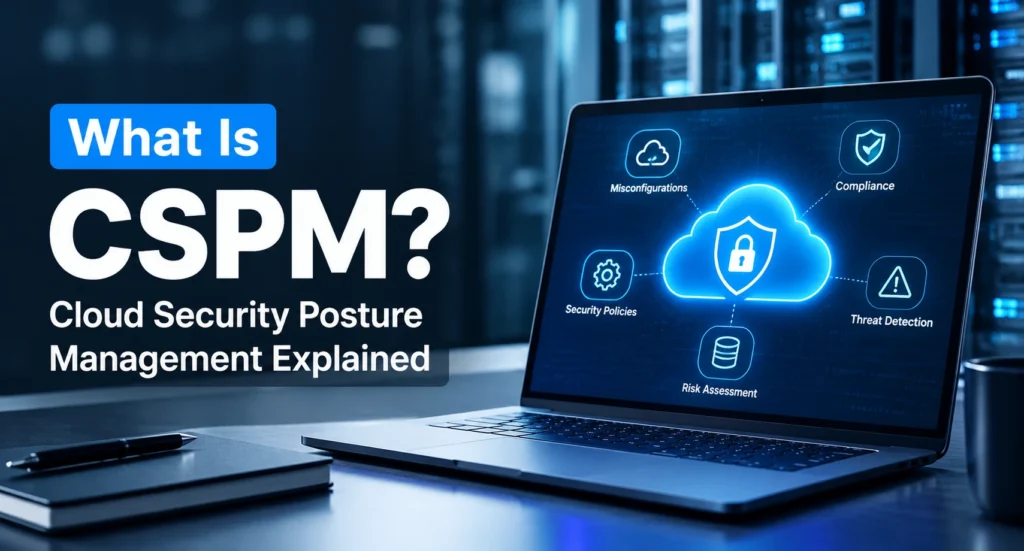
CSPM, short for cloud security posture management, is software that reads the settings in your AWS, Microsoft Azure and Google Cloud accounts, compares them with security rules such as the CIS Benchmarks, and tells you which settings are risky and how to fix them. It runs continuously, so a new mistake gets flagged soon after it appears, not at your next audit.
So what is a CSPM in plain terms? Think of it as a spell-checker for cloud settings: it underlines every setting that breaks a rule and suggests the correction.
The CSPM meaning, word by word:
- Cloud: your accounts on providers such as AWS, Azure and Google Cloud.
- Security posture: how exposed your setup is right now, meaning what’s public, what’s encrypted and who has access.
- Management: the ongoing loop of finding, fixing and rechecking.
Gartner named CSPM as a security category in a 2019 report. Today the same checks are sold as standalone tools, built into your cloud provider’s console, and included in larger cloud security platforms.
Why Does CSPM Matter?
CSPM matters because most cloud risk lives in settings you control, and those settings change faster than anyone can check by hand. Under the shared responsibility model, AWS, Microsoft and Google secure their data centers and core services. Everything you configure on top, from storage permissions to access keys, is your job.
Recent research shows how often that goes wrong:
- 59% of AWS IAM users had access keys older than one year, as did 55% of Google Cloud service accounts and 40% of Microsoft Entra ID applications, according to Datadog’s State of Cloud Security report (October 2025).
- 65% of organizations had “ghost” secrets, meaning cloud credentials that were unused or never rotated, according to Tenable’s Cloud and AI Security Risk Report (February 2026).
- 9% of publicly accessible cloud storage held sensitive data, and 97% of that data was classified as restricted or confidential, according to Tenable’s Cloud Security Risk Report (June 2025).
Each of these is a settings problem that CSPM security checks are built to catch, and none of them needs a clever exploit. That’s why cloud security posture management is usually the first control teams automate: it turns a once-a-year audit question into a daily check and puts your cloud security best practices on autopilot.
How Does Cloud Security Posture Management (CSPM) Work?
CSPM works by reading your cloud configuration through each provider’s APIs, testing it against security rules, and alerting you when something fails. Most cloud security posture management tools follow five steps:
- Connect with read-only access. You grant the tool a read-only identity in each cloud: an IAM role with the SecurityAudit policy in AWS, the Reader role in Microsoft Azure, or a viewer-level role in Google Cloud. Nothing gets installed on your servers, which is why CSPM is called agentless.
- Build an inventory. The tool lists every account, region and resource it can see, including the ones nobody remembers creating.
- Test every setting. Each resource is checked against rules drawn from the CIS Foundations Benchmarks and mapped to compliance frameworks such as SOC 2 and HIPAA. These rule sets keep evolving; AWS Security Hub CSPM, for example, added the CIS AWS Foundations Benchmark v5.0 in October 2025.
- Rank and route findings. Each failed check gets a severity level and goes to the right place: a dashboard, Slack, email or a Jira ticket.
- Fix and watch for drift. The tool shows how to fix each finding, sometimes automatically, and alerts you if an approved setting is changed later.
How does it spot changes? Scheduled scans re-read your whole environment every few hours or once a day, while event-driven checks watch audit logs such as AWS CloudTrail, Azure Activity Log or Google Cloud Audit Logs and test a resource within minutes of a change. Good tools combine both, so a bucket made public at 2 a.m. doesn’t wait for tomorrow’s scan.
What Does a CSPM Tool Actually Find?
A CSPM tool finds cloud misconfigurations: settings that leave data, accounts or servers exposed. These seven come up most often, and each looks slightly different in every cloud:
| Finding | Where it shows up | Why it’s risky | Typical fix |
|---|---|---|---|
| Public storage | Amazon S3 bucket without Block Public Access, Azure Storage with anonymous access, Google Cloud Storage bucket open to “allUsers” | Anyone with the address can read or list files | Block public access at the account level |
| Admin ports open to the internet | SSH (22) or RDP (3389) allowed from any IP address in an AWS security group, Azure network security group or Google Cloud firewall rule | Automated scanners probe these ports constantly | Allow known IPs only, or use a managed access service |
| Admin accounts without MFA | AWS root user, Microsoft Entra ID Global Administrator | One stolen password gives full control | Enforce MFA, ideally phishing-resistant |
| Old access keys | IAM user keys or service account keys never rotated | Old keys leak through code and logs, and nobody notices | Rotate or delete them; prefer short-lived credentials |
| Secrets in plain text | Passwords in container task definitions or virtual machine startup scripts | Anyone who can read the configuration gets the password | Move secrets into a secrets manager |
| Legacy metadata service | Amazon EC2 instances still allowing IMDSv1 | Lets a web app flaw expose the server’s cloud credentials | Require IMDSv2 on every instance |
| Audit logging off | AWS CloudTrail not enabled in every region, Azure Activity Log not retained | You can’t investigate an incident afterwards | Turn on logging everywhere and store logs separately |
These aren’t rare edge cases. Tenable’s 2025 Cloud Security Risk Report found that 54% of organizations stored at least one secret directly in AWS ECS task definitions. The metadata-service row matters because that path was part of the 2019 Capital One breach, which exposed data on about 100 million people in the US.
Most of these checks map to a numbered CIS Benchmark control, so every finding you fix also becomes audit evidence.
What Are the Key Features of CSPM?
Most cloud security posture management tools list the same features. What matters is how well each one works on your own accounts:
| Feature | Test it during a trial |
|---|---|
| Multi-cloud coverage | Connect AWS and Azure. Do both get the same depth of checks? |
| Built-in and custom rules | Can you add your own rule, such as “every bucket needs an owner tag”? |
| Compliance mapping | Does it produce a SOC 2 or HIPAA report your auditor will accept? |
| Risk prioritization | Is an internet-facing finding ranked above the same issue on an internal server? |
| Remediation | Does each finding include the exact fix, and can safe fixes run automatically? |
| Integrations | Do findings reach Jira, Slack or your SIEM without manual exports? |
| Infrastructure-as-code scanning | Does it flag a public bucket in a Terraform file before deployment? |
What Are the Benefits and Limits of CSPM?
CSPM is the fastest way to close common cloud gaps, but it has blind spots. Knowing both sides helps you set the right expectations.
What Does CSPM Do Well?
- It finds what you forgot you had: old test accounts, unused servers and storage nobody owns.
- It gives results on day one. Agentless setup means the first findings arrive within hours.
- It keeps you audit-ready between audits, catching settings that passed in March but drifted by June.
- It’s cheap to start, with free and open-source options for the basics.
What Can’t CSPM Do?
This is why CSPM alone is not enough for every team:
- It can’t see accounts you haven’t connected, such as one opened on a personal credit card.
- It doesn’t cover SaaS apps. Sharing settings in Microsoft 365 or Google Workspace need an SSPM tool.
- It doesn’t know your intent. A bucket hosting your public website stays flagged until you mark it as an approved exception.
- It can’t look inside workloads or catch live attacks; that takes workload protection and detection tools.
If those gaps matter to you, our CNAPP vs CSPM guide explains when a broader platform is worth it.
What Are the Best CSPM Tools?
The best CSPM tools for most teams are the ones they already have access to. Start free, then pay only for the gaps a free tool can’t cover.
Free Tools From Your Cloud Provider
| Tool | Free option | Clouds covered | Worth knowing |
|---|---|---|---|
| Microsoft Defender for Cloud | Foundational CSPM plan | Azure, AWS and Google Cloud | The paid Defender CSPM plan adds attack path analysis |
| Google Security Command Center | Standard tier | Google Cloud | The Enterprise tier shuts down on May 21, 2027; customers move to Premium |
| AWS Security Hub CSPM | 30-day free trial per account and Region | AWS | In 2025, AWS renamed its original Security Hub to Security Hub CSPM and launched a new Security Hub on top of it |
On one cloud, start with that provider’s tool. Across several clouds, Defender for Cloud is the easiest start: it’s Microsoft’s Azure CSPM, but its free plan also checks connected AWS and Google Cloud accounts.
Open-Source CSPM Tools
Prowler is one of the most widely used open-source CSPM tools. It’s free under the Apache 2.0 license, with about 14,600 GitHub stars, and covers 24 platforms, including AWS, Azure, Google Cloud, Kubernetes and Microsoft 365. It maps findings to more than 47 frameworks, including CIS, NIST, HIPAA, PCI DSS and SOC 2.
Does Prowler support Azure CSPM? Yes. Its GitHub page lists more than 190 Azure checks across 22 services, as of October 2026. The trade-off is that you run, schedule and update it yourself, unless you pay for Prowler’s hosted version.
Commercial CSPM Platforms
Most CSPM vendors now sell CSPM as one part of a CNAPP, including Wiz, Palo Alto Networks, CrowdStrike, Orca Security and Microsoft’s paid Defender CSPM. Pay for one when you need many clouds covered at scale, attack path analysis or vendor support.
How Do You Get Started With CSPM?
You can get your first CSPM results within a week, without buying anything:
- Connect at the top level. Link your AWS Organization, Azure management group or Google Cloud organization rather than single accounts, so every new account is covered automatically.
- Turn on one free tool: your provider’s native CSPM, or Prowler.
- Fix four things first: public storage, admin accounts without MFA, SSH or RDP open to the internet, and disabled audit logging.
- Mark intended exceptions, such as the bucket that hosts your website, so they stop coming back as alerts.
- Pick one framework to track, such as the CIS Benchmark for your cloud or the framework your auditor uses.
- Give every finding an owner and review open critical findings once a week.
Track one number from day one: your pass rate against that framework, meaning the share of checks that pass. If it rises week by week, your posture is improving.
How Is CSPM Different From DSPM, SSPM, KSPM and CNAPP?
Each “posture management” tool answers a different question:
| Tool | The question it answers | Example finding |
|---|---|---|
| Cloud Security Posture Management | Are my cloud accounts configured safely? | Storage bucket open to the public |
| DSPM (data security posture management) | Where is my sensitive data, and who can reach it? | Customer records copied into a test database |
| SSPM (SaaS security posture management) | Are my SaaS apps, such as Microsoft 365 or Salesforce, set up safely? | Files shareable with anyone outside the company |
| KSPM (Kubernetes security posture management) | Are my Kubernetes clusters configured safely? | Containers allowed to run with full privileges |
| AI-SPM (AI security posture management) | Are my AI models and AI services exposed? | An AI service with broad admin permissions |
| CNAPP | How do all these weaknesses connect into an attack? | An attack path from the internet to your data |
For CSPM vs DSPM, start with CSPM: it closes the doors, while DSPM shows which rooms hold the valuables. Most teams add DSPM, SSPM or KSPM once their cloud settings are under control.
Conclusion
Remember the auditor asking about your 400 buckets? With CSPM in place, that answer is a report you pull up in a few minutes, not a week of digging through consoles. That’s really what CSPM is: a tool that keeps checking your cloud settings so your team doesn’t have to.
It won’t stop every attack, and it isn’t meant to. But it catches the simple mistakes attackers look for first. If you haven’t started yet, turn on your cloud provider’s free tool this week and fix whatever it flags as critical. DSPM or a CNAPP can wait until the basics are under control.
FAQ’s
What does CSPM stand for in cyber security?
CSPM stands for cloud security posture management. In cyber security, it refers to tools that continuously check cloud accounts for risky settings and compliance gaps, then guide you to fix them.
What is the difference between CSPM and SIEM?
CSPM checks how your cloud is configured, to prevent problems, while a SIEM analyzes logs to detect attacks already happening. Many teams send CSPM findings into a SIEM such as Microsoft Sentinel or Splunk.
Is Wiz a CSPM?
Wiz is a CNAPP, and CSPM is one of its core features alongside workload, identity and data security. Google completed its acquisition of Wiz on March 11, 2026, and Wiz still supports AWS, Azure and other clouds under its own brand.
What is Defender CSPM?
Defender CSPM is the paid posture plan in Microsoft Defender for Cloud. It adds attack path analysis, agentless vulnerability scanning, data security posture management and AI security posture on top of the free Foundational CSPM plan.
How does CSPM help with compliance requirements?
CSPM maps each check to controls in frameworks such as SOC 2, HIPAA, PCI DSS, ISO 27001 and NIST CSF 2.0, which gives auditors continuous evidence. Policies and staff training still need to be documented separately.
How do you choose the right CSPM for your business?
Pick a tool that covers every cloud you use, test it on your own accounts for a few weeks, and count how many alerts were real problems. If a free tool passes that test and produces your auditor’s reports, you don’t need a paid one yet.