
By Olivia Harper. Researched using Gartner, IBM, and official AWS, Microsoft and Google Cloud documentation.
Your CSPM tool flags a server open to the internet as a medium-severity alert, and it sits in the queue. What the tool misses: that same server runs a vulnerable container, and its IAM role can read your customer data. Three small findings add up to one open path to a breach.
That blind spot is the core difference between CSPM and CNAPP, and getting it wrong is expensive. According to IBM’s 2026 Cost of a Data Breach Report, the average US breach now costs a record $11.5 million.
Both tools are part of a wider cloud security strategy, but they solve different problems. This guide explains what each one covers, what AWS, Microsoft and Google now build into their own platforms, and how to choose based on your clouds, your workloads and your team’s size.
CNAPP vs CSPM: What’s the Quick Answer?
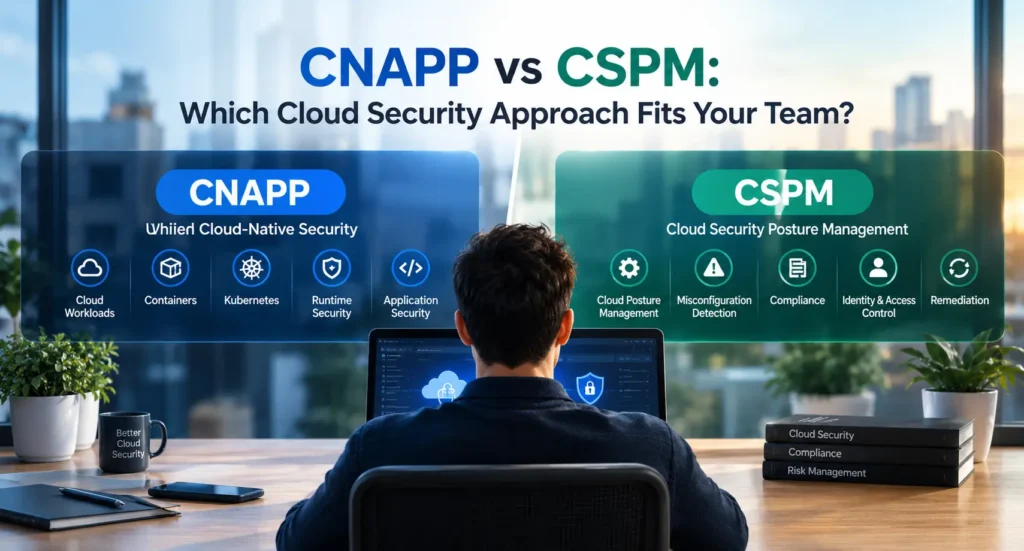
CSPM finds risky settings in your cloud accounts, such as public storage or weak access rules. A CNAPP includes CSPM and adds protection for workloads, identities, code and runtime, so it can show how separate weaknesses connect into an attack. Every CNAPP contains CSPM; a CSPM tool alone is not a CNAPP.
A simple rule of thumb:
- Start with CSPM if you run one cloud, have few or no containers, and have one or two people handling security.
- Choose a CNAPP if you run two or more clouds, use Kubernetes in production, or deploy code daily.
- Check your cloud provider’s tools first if you’re on a single cloud. They may already cover most of what you need.
What Is CSPM (Cloud Security Posture Management)?
CSPM is a security tool that connects to your cloud accounts through their APIs and continuously checks your settings against security best practices and compliance rules. It exists because of the shared responsibility model: AWS, Microsoft and Google secure their own infrastructure, but how you configure your accounts is your job.
What Does a CSPM Tool Actually Do?
- Inventory: lists every account, region and resource, including ones nobody remembers creating.
- Misconfiguration checks: compares your settings with benchmarks such as the CIS Foundations Benchmarks. AWS Security Hub CSPM, for example, added the CIS AWS Foundations Benchmark v5.0 in October 2025.
- Compliance reports: maps findings to frameworks such as SOC 2, HIPAA and PCI DSS for audits.
- Drift alerts: warns you when an approved setting changes.
- Fix guidance: shows how to remediate each issue, sometimes automatically.
Typical findings include a storage bucket open to the public, SSH open to the whole internet, MFA turned off on the root account, and an unencrypted database snapshot.
What Can’t CSPM See?
CSPM reads your cloud’s control plane, not what runs inside your workloads. It won’t tell you that a container image has a critical vulnerability, that a process on a server is behaving suspiciously, or which identity can actually reach sensitive data.
It also judges each setting on its own. The result is often a long list of “medium” alerts with no sign of which ones connect, which is exactly the gap in the opening example.
What Is CNAPP (Cloud-Native Application Protection Platform)?
A CNAPP is a single security platform that protects cloud applications from code to runtime. It combines posture, workload, identity and threat detection data so you can see how one weakness leads to another. Gartner, which coined the term, describes CNAPP as a “unified and tightly integrated set of security and compliance capabilities” for cloud-native infrastructure and applications.
What’s Inside a CNAPP?
| Module | What it protects | Example finding |
|---|---|---|
| CSPM | Cloud configuration and compliance | Public storage bucket |
| CWPP (cloud workload protection) | VMs, containers and serverless functions | Container image with an exploitable flaw |
| CIEM (cloud entitlement management) | Human and machine permissions | Unused role with full data access |
| IaC scanning | Terraform and CloudFormation before deployment | Unencrypted database defined in code |
| CDR (cloud detection and response) | Live activity | Stolen key making unusual API calls |
According to Gartner’s 2025 Market Guide, a complete CNAPP must include CSPM, CIEM and CWPP, cover the major clouds, and support both agentless and agent-based scanning. Use that as a test when a vendor calls its product a CNAPP.
Why did CNAPP Become The Default Enterprise Choice?
Large companies were running separate tools for posture, workloads and identity, and none of them shared context. A CNAPP replaces several point tools and ranks risks by real attack paths instead of severity alone. Gartner’s 2023 CNAPP Market Guide predicted that 60% of enterprises would get CWPP and CSPM from a single vendor by 2025, up from 25% in 2022.
The market followed. Google completed its $32 billion acquisition of Wiz, a leading CNAPP vendor, on March 11, 2026.
What Is the Difference Between CNAPP and CSPM?
CSPM asks, “Is my cloud configured correctly?” A CNAPP asks, “Could an attacker chain my weaknesses together to reach my data?” CSPM covers one layer of your cloud; a CNAPP covers every layer and connects them.
Side-by-Side Comparison Table
| Feature | CSPM | CNAPP |
|---|---|---|
| Scope | Cloud configuration and compliance | Configuration, workloads, identities, code and runtime |
| When it works | After resources are deployed | From code to runtime |
| What it sees | Cloud APIs (the control plane) | Cloud APIs plus what runs inside workloads |
| How it prioritizes | Severity of each finding on its own | Attack paths across connected findings |
| Deployment | Agentless, connects in minutes | Agentless, plus optional agents for runtime |
| Main users | Security and compliance teams | Security, DevOps, platform and developer teams |
| Typical pricing basis (varies by vendor) | Per cloud account or resource | Per workload or resource, often by module |
| Best fit | One cloud, small team, audit prep | Multi-cloud, Kubernetes, frequent deployments |
A Worked Example: The Same Risk, Two Tools
A developer created an access key for a CI/CD pipeline two years ago. The pipeline was retired, but the key still works.
- What CSPM reports: “Access key not rotated in over 90 days.” Medium severity, one alert among hundreds.
- What a CNAPP reports: the key belongs to a service account with admin rights, it can reach the production database, and it was used yesterday from an IP address the account has never used before. That’s a critical finding with a clear attack path, so it goes to the top of the queue.
Same key, same cloud account. The CSPM tool says what’s wrong; the CNAPP says what to fix first, and why.
Which One Is Right for Your Team?
Decide based on your environment and your team, not the feature list. The best tool is the one your team will actually act on.
When is CSPM Enough?
CSPM is usually enough if most of these are true:
- You run on one cloud.
- Your workloads are mostly managed services or serverless, with no Kubernetes in production.
- One or two people handle security, often alongside DevOps work.
- Your main goal right now is passing a SOC 2, HIPAA or PCI DSS audit.
- Basics such as MFA, public exposure and encryption are not fully fixed yet.
If that’s you, start with your cloud provider’s tools before buying anything. Microsoft’s Foundational CSPM is free and also covers AWS and Google Cloud accounts. Google’s Security Command Center Standard tier is free for Google Cloud. On AWS, Security Hub CSPM runs the CIS and AWS best-practice checks.
When do You Need a Full CNAPP?
A CNAPP is worth it if any of these are true:
- You run two or more clouds and need one view across them.
- You run containers or Kubernetes in production.
- Developers deploy daily through CI/CD and Terraform, and you want to catch issues before they ship.
- You’re juggling three or more security tools whose alerts don’t connect.
- You store regulated data in the cloud, such as health records or card data.
- You need to detect and respond to live attacks, not just bad settings.
Decision flow
Answer three questions in order:
- Do you run containers or Kubernetes in production? Yes: choose a CNAPP.
- Do you run two or more clouds? Yes: choose a CNAPP.
- Do you deploy daily or run three or more security tools? Yes: start with CSPM now and plan a CNAPP at your next renewal. No: your cloud provider’s native CSPM is likely enough.
How Do You Move From CSPM to CNAPP Without Wasting Budget?
Grow into a CNAPP in stages, adding each capability only when your environment needs it:
- Fix the basics first: Turn on CSPM or your provider’s native tool and clear the critical findings: public exposure, root account MFA, encryption and audit logging.
- Write down the gaps: List what your CSPM can’t see, such as containers, permissions or code.
- Add identity next: Remove unused permissions and over-privileged service accounts. Stolen credentials are a common way into cloud accounts.
- Shift left: Scan Terraform and other infrastructure code in your CI/CD pipeline, so new misconfigurations never reach production.
- Add workload and runtime protection when containers and Kubernetes arrive.
- Consolidate at renewal: Choose a CNAPP whose CSPM module can replace your current tool, with modular pricing so you pay only for what you use.
How Should You Evaluate a CNAPP or CSPM Vendor?
Skip the demo environment. Run a 14- to 30-day trial on your own accounts, with two or three vendors connected to the same accounts, and check:
- Cloud coverage: the same depth on AWS, Azure, Google Cloud and Kubernetes?
- Noise: how many “critical” findings were truly critical?
- Attack paths: real, exploitable paths in your environment, or just a longer list?
- Developer workflow: tickets in Jira, comments on pull requests, alerts in Slack?
- Compliance: reports for the frameworks your auditors use?
- Pricing: what happens to your bill when workloads autoscale?
- Neutrality: a firm multi-cloud roadmap, especially after recent acquisitions?
What Mistakes Do Teams Make When Choosing?
- Buying more than they can run. A full CNAPP with no one to triage its alerts becomes expensive shelfware.
- Ignoring native tools. Single-cloud teams often pay for features their cloud provider already includes.
- Licensing every module on day one. Pay for modules as you need them, not upfront.
- Forgetting machine identities. Service accounts, API keys and CI/CD tokens often carry more risk than human users.
- Leaving developers out. If fixes don’t reach pull requests and tickets, the backlog only grows.
Bottom Line
If your question is “Is my cloud configured correctly?”, CSPM answers it. If your question is “Could an attacker chain my gaps together to reach my data?”, you need a CNAPP. Starting with CSPM is not a mistake; starting without a plan to grow is.
Fix the basics, check what your cloud provider already includes, and add CNAPP capabilities as your clouds, workloads and team grow.
FAQ’s
Is CSPM part of CNAPP?
Yes. CSPM is one of the core modules of every CNAPP, alongside CWPP and CIEM. Gartner does not consider a platform a complete CNAPP without it.
Can CSPM replace a CNAPP?
No. CSPM covers cloud configuration and compliance only. It can’t find vulnerable workloads, detect live attacks or map how an identity could reach your data.
What is the difference between CNAPP, CSPM and CWPP?
CSPM checks cloud settings. CWPP protects what runs inside workloads, such as VMs and containers. A CNAPP combines both with identity, code scanning and threat detection in one platform.
Do small teams need a CNAPP?
Usually not at first. A small team on one cloud with few containers should start with a native or standalone CSPM tool and move to a CNAPP when it adds Kubernetes or a second cloud.
Are AWS, Azure and Google Cloud's built-in tools enough?
For one cloud and basic posture, often yes. All three now offer posture tools, and their paid tiers map attack paths. A third-party CNAPP is better when you need one view across several clouds.