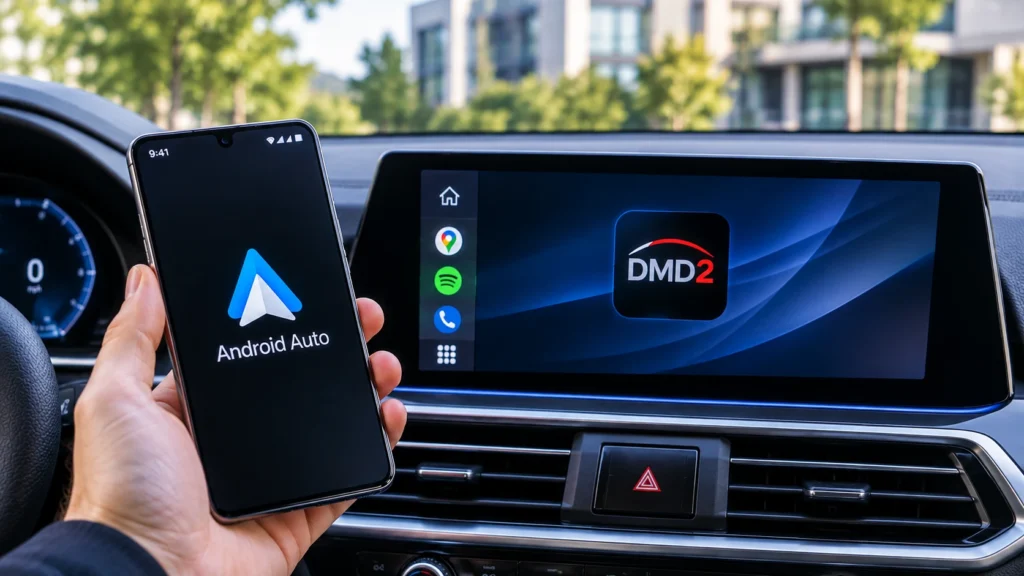
You bolt a shiny new motorcycle screen to the bars, plug in your phone, and wait for DMD2 to show up. It never does. Same story on the car display in your truck. If you rely on DMD2 navigation for adventure rides, that’s a frustrating discovery right before a trip.
There’s a clear reason, and it isn’t a setting you missed. Android Auto simply can’t run DMD2. Below, we explain why, using DMD’s own documentation and Google’s developer guides, and show the setups riders actually use to keep DMD2 on the trail.
Quick answer
Does DMD2 work with Android Auto? No. DMD’s own FAQ, updated in August 2026, confirms it, because Android Auto only streams a limited layout from your phone to the screen. To use DMD2, run it directly on an Android phone or rugged tablet mounted on your bike or dash. If you need Android Auto, choose an app with a motorbike mode, such as Sygic.
Is DMD2 Compatible With Android Auto?
No, and the answer comes straight from the people who make it. In its official FAQ, last updated on August 18, 2026, DMD Navigation answers the question “Is DMD2 compatible with Android Auto?” with a single word, “No.” The team adds that this kind of setup “is not a good solution for adventure riding,” though it can be fine for short, single day trips with other apps.
In practice, that means the DMD2 app never shows up in the app list on your car or motorcycle screen, no matter how you connect your phone. There’s no DMD2 Android Auto mode to switch on, no setting inside the app, and no official way to add it.
The same goes for CarPlay, which DMD treats as the same kind of system.
What Is DMD2?
DMD2 is a navigation and dashboard app built for adventure and off road riding. It’s made by DMD Navigation, a team of riders, and it runs only on Android. You can open it like any other app or set it as your device’s home launcher, so the whole screen becomes a riding dashboard.
The app is designed for gloves, dirt, and long days far from cell service. Its main features include these.
- Offline topographic maps with worldwide coverage and turn by turn navigation.
- GPX tracks, routes, and a PDF roadbook for rally style navigation.
- OBD2 vehicle data and TPMS tire pressure readings.
- Full support for handlebar remote controllers.
As for the DMD2 price, most of the app is free. The map has a free base and an optional subscription of €15 plus tax for six months or €25 plus tax per year, which unlocks extras like satellite layers and group rides. DMD’s own tablets come fully unlocked.
DMD originally stood for Drive Mode Dashboard, and that old website now redirects to DMD Navigation. It has nothing to do with Google’s old Driving Mode for phones.
Why Can’t DMD2 Run on Android Auto?
Android Auto doesn’t run apps on the car screen at all. It’s a streaming system. Your phone runs the app and sends a simplified picture to the display, and DMD says that reduced view “is not suitable for DMD2.”
Google also controls what that picture can look like. Apps for Android Auto are built from a set of fixed templates in Google’s Android for Cars App Library, with special templates only for things like navigation, points of interest, weather, and media.
That’s why the types of apps Android Auto allows are so limited. DMD2 is a full custom dashboard with its own maps, gauges, and roadbook, so it simply doesn’t fit inside those templates.
There’s a hardware problem too. DMD points out that your phone would do all the processing, which drains the battery faster. On a long ride in the sun, that also means heat. And DMD2’s glove friendly layout and handlebar controller support are built for its own full screen, so most of what makes it useful would be lost.
Can You Use DMD2 on a Chigee, Carpuride, or Aooci Screen?
Not if they’re streaming screens. Popular motorcycle displays from Chigee, Carpuride, and Aooci are motorcycle Android Auto and CarPlay screens. They only show what your phone streams to them, so DMD2 can’t appear on them for the same reasons it can’t appear in a car.
Riders have found this out the hard way. In a May 2026 thread on the MyRoute-app community forum, one BMW R1300GS owner said he stopped using his Chigee after a couple of weeks and moved to a DMD tablet instead. Another put it bluntly, “DMD2 is super, but not for Carplay.”
There’s one exception. If a screen runs full Android with the Google Play Store, it isn’t an Android Auto display at all. You can install DMD2 on it like any phone or tablet.
What Are Your Options Instead?
If you want DMD2, run it on the device itself. If you want Android Auto, pick an app built for it. Here’s how the main choices compare.
| Option | Cost | Offline Maps | Works with Android Auto | Best For |
|---|---|---|---|---|
| DMD2 on your Android phone, mounted | Free, optional map subscription | Yes | No | Trying DMD2 and weekend rides |
| DMD2 on DMD’s own rugged tablet | High | Yes | No | Serious adventure and off-road riding |
| Carpe Iter rugged tablet | High, about £710 in the UK | Yes | No | Riders who want a rugged tablet with their choice of apps |
| Sygic Motorbike Mode on an Android Auto screen | Paid add-on | Yes | Yes | Road touring and curvy routes |
The Carpe Iter vs DMD2 question confuses a lot of riders, but they aren’t really rivals. Carpe Iter is mainly a rugged Android tablet with the Play Store, while the DMD2 navigation app is software you install, so you can run DMD2 on a Carpe Iter.
If you’d rather stay with Android Auto, Sygic added a Motorbike Mode in July 2026 that favors twisty roads over highways. Waze’s new motorcycle mode isn’t on Android Auto yet.
What Do You Need to Run DMD2 on a Tablet?
A dedicated DMD2 tablet is what many adventure riders end up using, because it frees your phone for calls and music. Whether you buy one of DMD’s own devices or pick the best tablet for DMD2 yourself, check for these.
- Android with the Google Play Store, so you can install and update the app.
- Built in GPS, ideally dual band for better accuracy under trees and in canyons.
- A bright screen you can read in direct sunlight.
- Water and vibration resistance, for example a rugged tablet from Samsung’s Galaxy Tab Active line.
- Reliable power from your bike, like DMD’s Power Box or a waterproof charger.
- A handlebar remote, so you never have to take a gloved hand off the grip.
If you’re wondering how to use DMD2 on a new tablet, the setup is simple. Install it from the Play Store, set it as the home launcher if you want a full screen dashboard, then pair a DMD2 remote controller. On non DMD devices, remote setup is part of the paid map subscription.
One tip from long rides. Tablets can overheat in direct sun and stop charging, so choose a mount with some airflow.
FAQ’s
Does DMD2 work with Android Auto on a Samsung phone?
The phone brand doesn’t change anything, because no phone can show DMD2 through Android Auto. DMD2 does run directly on Samsung Galaxy phones and tablets, like any Android device.
Does DMD2 work on iPhone or iOS?
DMD says the DMD2 app is Android only and that this isn’t planned to change. iPhones use CarPlay rather than Android Auto, so that route is closed too. You can still carry an iPhone alongside DMD2 for calls.
Can DMD2 run on an Android car head unit?
Yes, if it’s a full Android head unit with the Play Store, the same rule as motorcycle screens above. Android Auto only units can’t install it.
Will DMD2 ever support Android Auto?
DMD hasn’t announced any plans, and its FAQ explains why the format doesn’t suit the app.
Can I use DMD2 and Android Auto at the same time?
Yes, on separate devices. Many riders keep DMD2 on a handlebar tablet for navigation and leave their phone connected to Android Auto or a helmet headset.
Sources
- DMD Navigation FAQ: Is DMD2 compatible with Android Auto?
- DMD Navigation FAQ: Is DMD2 compatible with iOS?
- DMD Navigation docs: What is DMD2?
- DMD Navigation: devices and accessories
- Android Developers: Android for Cars templates
- Android Authority: Sygic Motorbike Mode on Android Auto
- Bennetts BikeSocial: Carpe Iter tablet review
- MyRoute-app community forum: Rider discussion
Last updated: October 2026